
Tile: Making Things Findable
Tile Inc.Lifestyle
4.755.64K Reviews
- Version
- 2.146.0
- Installs
- 10.00M
- Age Rating
- Everyone
Screenshots
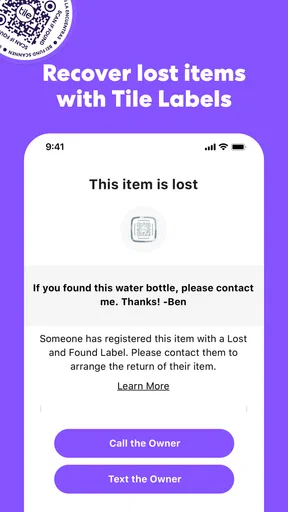
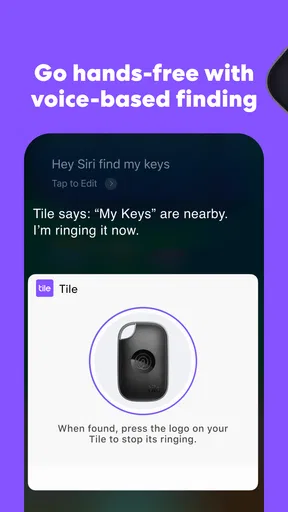
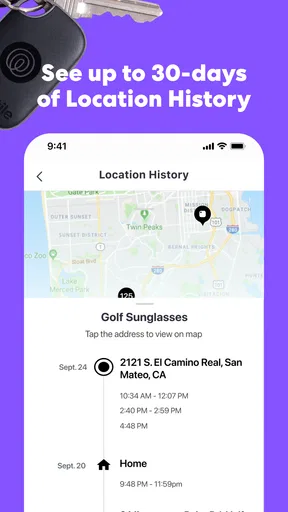
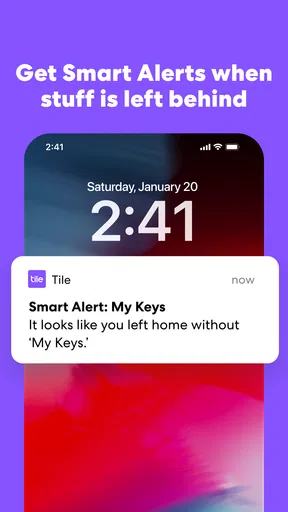
Our Review of Tile: Making Things Findable
 Analysis by Appyee
Finding a tracker is only useful when the connection gives you a practical next step. With Tile, that might mean ringing an item nearby, checking where it was last seen, or waiting for another Tile user to pass within range. I see it as a tool for narrowing a search, not a guarantee that every misplaced possession will appear on a live map.
When the connection is doing the work
Tile is a lifestyle app from Tile Inc. that pairs with the company’s Bluetooth trackers. Its everyday value depends on the relationship between your phone and a tracker: Bluetooth helps when the item is nearby, while a last-known location can give you a starting point when it is not. That distinction matters. A map marker can tell you where to look first, but it does not mean the item is still there or that you can follow it continuously.
The Community Find feature offers another route when your own phone is out of range. Another Tile user passing near a lost tracker may generate an anonymous location update. That can help in a busy shared environment, but it is not the same as a dedicated, always-connected GPS device. If an item is somewhere few people pass, the community may not provide a timely update. I would treat it as a useful chance of recovery rather than a promise.
Putting it to work in everyday routines
The best candidates are belongings you regularly carry and can attach or pair with a suitable Tile device: keys, a wallet, or a bag you take to work. A tracker is less useful for something you rarely misplace, or for an object that stays in a fixed place and is easy to check. The app itself is free, and Tile has a 4.8 average from around 262,000 ratings, but those figures do not replace the basic question: will you remember to keep the tracker with the item you want to find?
Picture leaving a café and realizing your wallet is not in your pocket. If the tracker is close enough for a Bluetooth connection, you can try ringing it. If you have already walked away, the map’s last-known location may help you retrace your steps, and a later community update could add a clue. I like this layered approach because it gives you options, while still making clear that distance and other users’ presence shape what happens next.
Choosing between Tile and other ways to search
Compared with simply retracing your steps or calling a friend, a tracker can make a nearby search more direct: instead of guessing which pocket or cushion to check, you can ask the tagged item to ring. Compared with a GPS tracker, Tile is a better fit for small everyday possessions than for continuously watching a moving vehicle or person. Its Bluetooth-based approach also means it is not a substitute for a phone’s own location tools, and it will not solve every lost-item problem just because a map is available.
There is a small habit cost, too. You need to pair devices, give them names you can recognize at a glance, and keep the tracker attached to the right belongings. Naming each one by its actual use—such as “work keys” rather than just “Tile”—is a simple improvement when you have several. Before relying on a tracker for an important trip, I would test the ring and phone-finding functions at home so I know what each one does and where its sound can be heard.
What to expect when a search stalls
If a ring does not help, I would move from the immediate area to the last-known location and think about when the item was last with me. A location clue is most useful when paired with a real-world routine: check the desk where you packed up, the seat where you changed bags, or the counter where you paid. If the item is outside your phone’s range and no community update arrives, the app may not be able to narrow the search further. That is a genuine limitation, not a setup mistake.
Connectivity can also feel different as you move between places. A tracker that is easy to find at home may be harder to locate in a crowded building or after you have left it behind. I would avoid making the app my only plan for something urgent or irreplaceable. For those items, a consistent storage habit—one bowl for keys, one pocket for a wallet—can do more than any tracker when the connection is unavailable.
Privacy, phone recovery, and practical limits
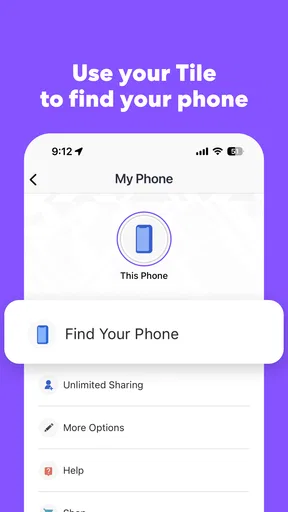
The app’s phone-finding function works in the opposite direction: pressing a Tile device can make your phone ring, including when the phone is on silent. That is particularly handy when the phone is somewhere in the home and you do not have another person nearby to call it. It is less helpful if the tracker and phone are no longer within the conditions needed for that interaction, so I would still use the phone’s own recovery options when the device itself is lost away from home.
For people who are careful about what they install, it is sensible to consider whether they want a companion app connected to a physical tracking routine. Tile’s community feature is described as anonymous, and its purpose is to help surface a lost tracker’s location when another user comes within range. I would use it for ordinary belongings, while keeping in mind that a tracker is not a substitute for thoughtful handling of sensitive items or for a broader personal-safety plan.
Cost, access, and who should skip it
Tile is free to download, rated for Everyone, and has more than 10 million installs. The app’s current version is 2.141.0, and it requires Android 9 or later on Android devices. In-app purchases range from $2.99 to $99.99 per item, so I would check the purchase details carefully before paying. The core idea is straightforward without a subscription, while optional paid extras may suit someone who wants additional conveniences. I would not subscribe automatically: first notice whether the basic tracking routine solves a problem you actually have.
This is a stronger fit for someone who often misplaces a few everyday items and is willing to attach a tracker and maintain the habit. It is a weaker fit if you rarely lose things, do not want to carry or attach another device, or expect a tracker to provide uninterrupted live location anywhere. People who mainly need to find a phone may prefer to start with the recovery tools already built into that phone’s platform; Tile’s distinctive advantage is helping with tagged belongings and offering a way to ring the phone from a Tile device.
Have you ever found yourself frantically searching for your keys, wallet, or that elusive TV remote just when you’re about to head out the door? If you’re nodding along, then you might just want to give Tile: Making Things Findable a try. I recently decided to put this app to the test, and let's just say, it’s been quite the game-changer.
Getting Started with Tile
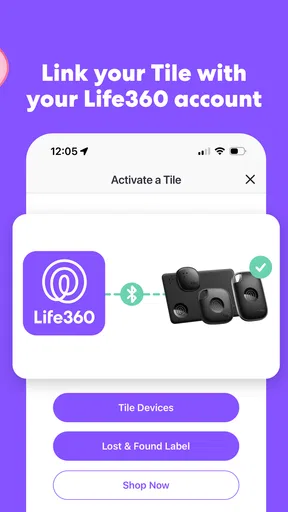
The first thing you’ll notice about the Tile app is how easy it is to set up. You download it from the App Store or Google Play, sign up, and you’re guided through the process of pairing your Tile devices with your phone. The app's interface is clean and intuitive, which is a relief for those of us who aren’t exactly tech-savvy.
How Tile Works its Magic
Once you’ve got your Tile devices ready, attaching them to your stuff is a breeze. I stuck one on my keys, slipped another into my wallet, and even attached one to my dog’s collar. The app allows you to name each Tile, so there’s no confusion when you’re tracking multiple items.
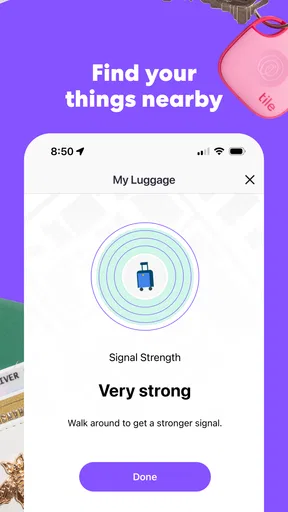
Using Bluetooth technology, Tile connects to your phone, allowing you to track your items within a certain range. The app shows you the last known location on a map, which is pretty handy when you’re trying to remember where you last left your stuff.
Ringing and Finding
If your item is nearby but you just can’t see it, you can use the app to make your Tile ring. It’s a surprisingly loud sound for such a small device, so even if your keys have slipped into the depths of the couch cushions, you’ll be able to hear them.
Conversely, if you’ve misplaced your phone, pressing any of your Tile devices will make your phone ring, even if it’s on silent mode. I’ve found this feature to be a lifesaver, especially in those early morning rushes.
Community Find Feature
One of the standout features of Tile is the Community Find option. If you’ve lost something beyond the range of your phone, the Tile community can help locate it. When any Tile user comes within range of your lost item, you’ll receive an anonymous update of its location. It’s like having a whole community of item hunters at your fingertips!
Battery Life and Durability
In terms of battery life, Tile devices are impressive. Most of them last about a year before they need replacing or recharging, depending on the model. They’re also quite durable; I’ve dropped mine a couple of times, and they’ve survived without a scratch.
Subscription Services
While the basic app functions are free, Tile offers a Premium subscription that comes with extra perks like smart alerts and location history. If you’re prone to losing things often, it might be worth considering. I opted for the premium trial, and the smart alerts have been quite handy, reminding me when I’ve left the house without my essentials.
My Personal Experience
Overall, using Tile: Making Things Findable has been a positive experience. It has seamlessly integrated into my daily routine, and I can’t imagine going back to the days of aimlessly wandering around my house, trying to remember where I last saw my keys. The peace of mind alone is worth it.
So, if you’re someone who’s constantly on the hunt for missing items, or if you just want to keep track of your most important possessions, Tile might just be the app you didn’t know you needed. Trust me, it’s like having a personal assistant dedicated to helping you find your things!
Verdict
Strengths of Tile: Making Things Findable
- Intuitive interface for easy navigation
- Customizable labels and categories
- Real-time location updates
- Long battery life for devices
- Compatible with various platforms
Limitations of Tile: Making Things Findable
- Requires Bluetooth to function
- Limited range without Wi-Fi
- Monthly subscription for premium features
- Not waterproof or highly durable
- Dependent on phone battery life
Similar Picks in This Category
View All
SmartThings
Samsung Electronics Co., Ltd.4.6

Google Home
Google LLC4.0

Pinterest4.2

Astrotalk - Talk to Astrologer
Astrology & Horoscope4.7

My Verizon
Verizon Consumer Group4.5

Samsung Wallet (Samsung Pay)
Samsung Electronics Co., Ltd.4.1
Frequently Asked Questions
What is Tile and how does it work?
Tile is a Bluetooth tracker app that helps you locate your lost items. By attaching a Tile device to your belongings, you can locate them using the Tile app on your smartphone. The app uses Bluetooth signals to connect to the Tile device and provides the item’s last known location on a map, making it easier to find.
Is Tile compatible with both Android and iOS devices?
Yes, Tile is compatible with both Android and iOS devices. The app is available for download on the Google Play Store for Android users and the Apple App Store for iOS users. Ensure your device meets the app’s system requirements for optimal performance and compatibility.
How is the Tile app useful in everyday life?
The Tile app is incredibly useful for those who frequently misplace their belongings. Whether it's your keys, wallet, or phone, attaching a Tile tracker ensures you can quickly locate these items. The app also allows you to ring your misplaced phone, even if it’s on silent, making it a convenient tool for everyday use.
What are the subscription options for Tile, and are they necessary?
Tile offers optional subscription plans like Tile Premium and Tile Premium Protect, which provide additional features such as smart alerts, free battery replacements, and location history. While the basic app functions are free, subscribing enhances the user experience and provides more comprehensive tracking solutions.
Can Tile be used to track lost items outside of Bluetooth range?
If an item is outside of Bluetooth range, Tile can still help using its community find feature. When another Tile user comes within range of your lost item, the app will anonymously update its location on your map. This community-based approach increases the chances of recovering lost items beyond the standard Bluetooth range.
